
One thing that has bothered me about AI coding agents is how quickly they waste context.
While working on CodeGraph, I noticed the prompt hook was injecting source code almost every time it saw words like implement or call. The problem was that it had no idea whether I was actually asking about code or just coordinating work.
That created the following two issues.
Simple messages like “implement option 2” would trigger a graph search and inject approximately 15 KB of source code that the agent never needed. The same files kept getting injected over and over during long conversations. A session exploring one feature could easily end up with tens of kilobytes of duplicate context.
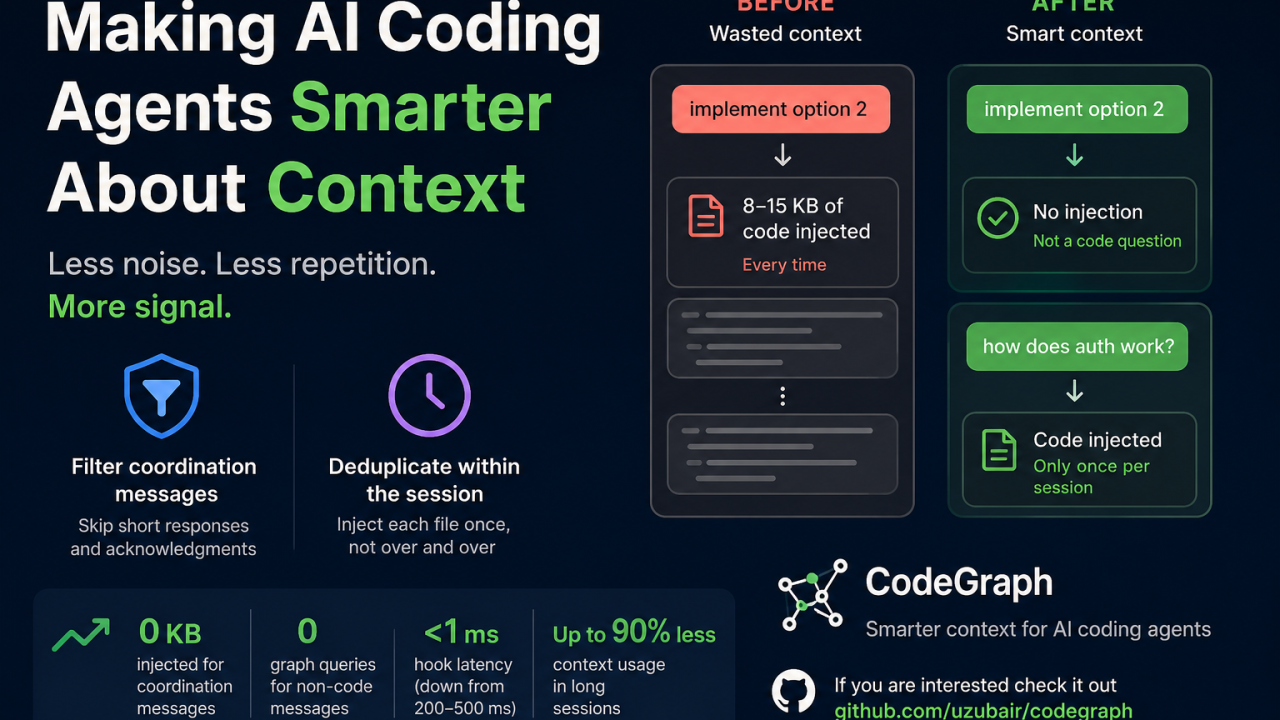
The Problem: AI Agents Waste Context Too Easily
The core issue here was not the model. It was the way context was being used. Everything is keyword based. So the system had no real understanding of intent. It just saw words like implement or call and assumed it needed to fetch code.
This works fine for small cases but it breaks down quickly.
The Fix: Two Layers of Context Control
I added the following simple layers to fix this.
The first layer filters out coordination messages before CodeGraph even runs. Things like “yes”, “sounds good”, “option 2”, and other short responses no longer trigger a graph lookup.
The second layer keeps track of what has already been injected during the current session. If the agent has already seen the same files, it skips injecting them again. The state file is less than 1 KB and works across Claude Code, Codex, OpenCode, or any agent that supports prompt hooks.
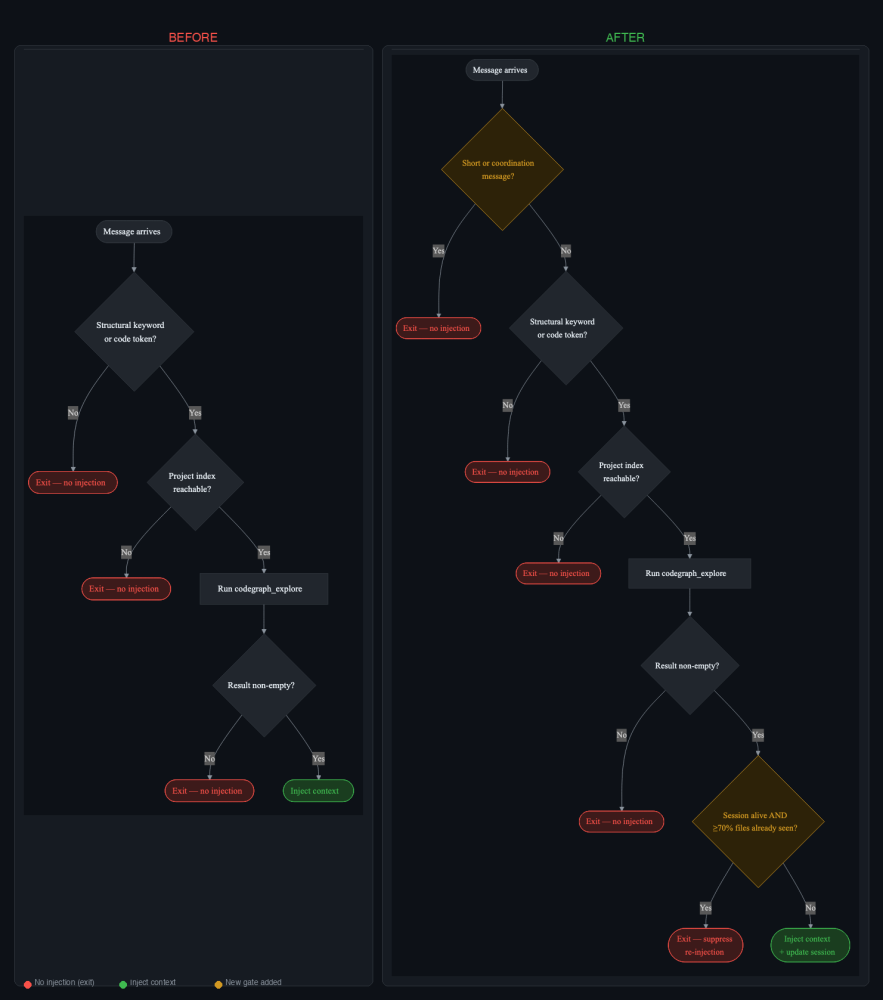
The results are pretty significant.
- Coordination messages now inject zero context instead of approximately 15 KB
- Graph lookups are skipped completely for those messages
- Hook latency drops from a few hundred milliseconds to almost nothing
- During long sessions, the same files are only injected once instead of being repeated over and over
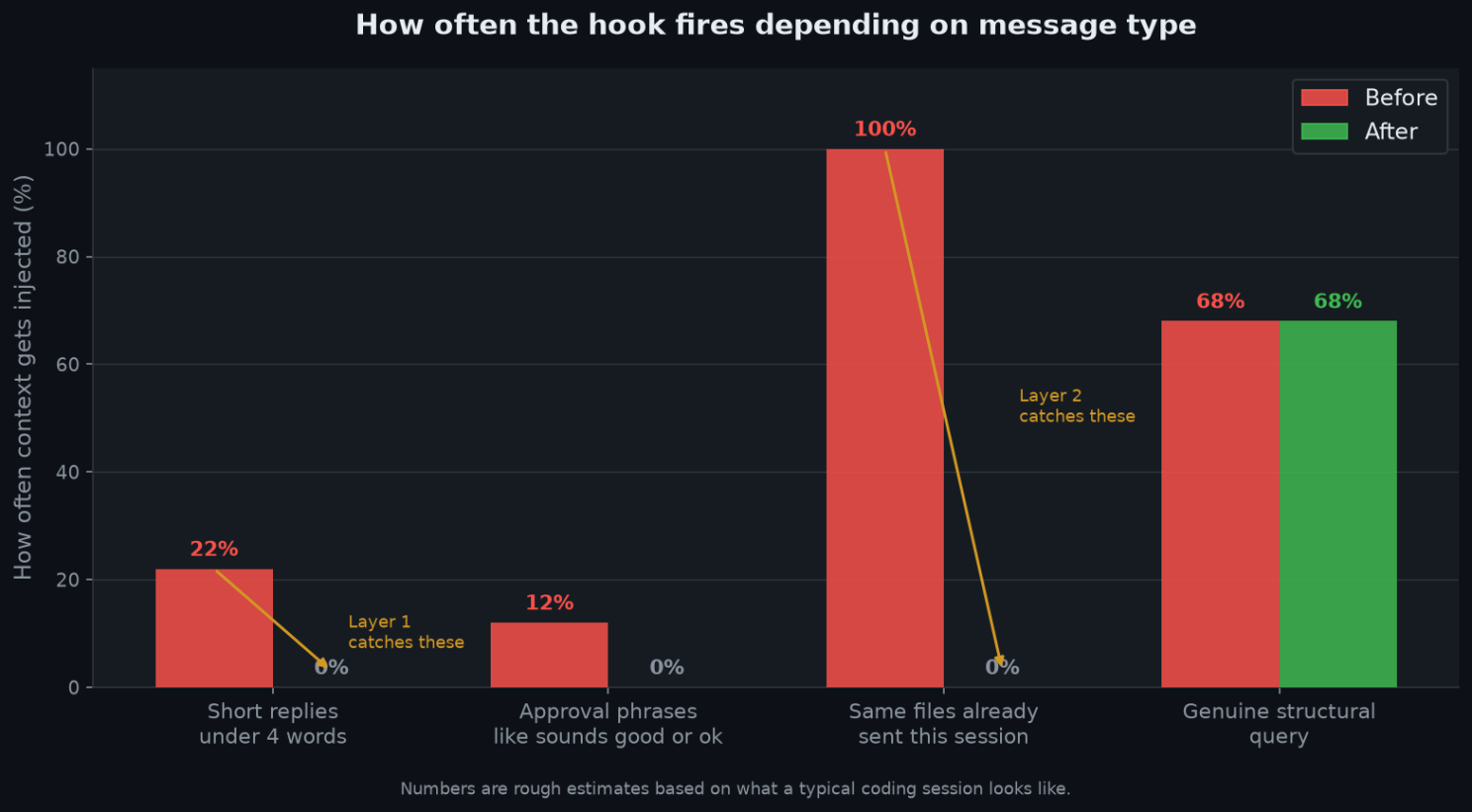
It was a good reminder that simple keyword matching without understanding intent does not scale. A couple of lightweight filters made a noticeable difference in both performance and context usage.
If you’re interested, check it out: github.com/uzubair/codegraph